
Overview
Please read this guide first if you are new to the admin. It explains what each area is for, how content usually moves from draft to public website, and what to check before publishing changes.
What you can manage
Section titled “What you can manage”The admin is organized around the main content that appears on the public website.
| Section | Use it for |
|---|---|
| Dashboard | Quick access to recent content, enquiries, media, and activity. |
| Home Page | Control homepage hero content, featured countries, featured tours, and travel guide highlights. |
| Enquiries | Review customer tour enquiries and contact messages. |
| FAQs | Edit general FAQ content shown on the public FAQ page. |
| Package | Create and maintain tours, including itinerary, services, gallery, FAQs, and publishing status. |
| Countries | Manage country pages, country content, destinations, tours, best-time content, and country FAQs. |
| Destinations | Manage destination/place pages and map/location content. |
| Hotels | Manage reusable hotel records used in itineraries. |
| Restaurants | Manage reusable restaurant records used in itineraries. |
| Services | Manage reusable included/excluded service options for tours. |
| Blog | Create and publish travel guide articles. |
| Authors | Manage author profiles used by travel guide articles. |
| Media | Upload, replace, and organize images used across the website. |
| User | Manage admin team members and their access level. |
| Activity Log | Review important admin actions and security events. |
Common workflow
Section titled “Common workflow”Before attempting to create package, we must prepare content in order:
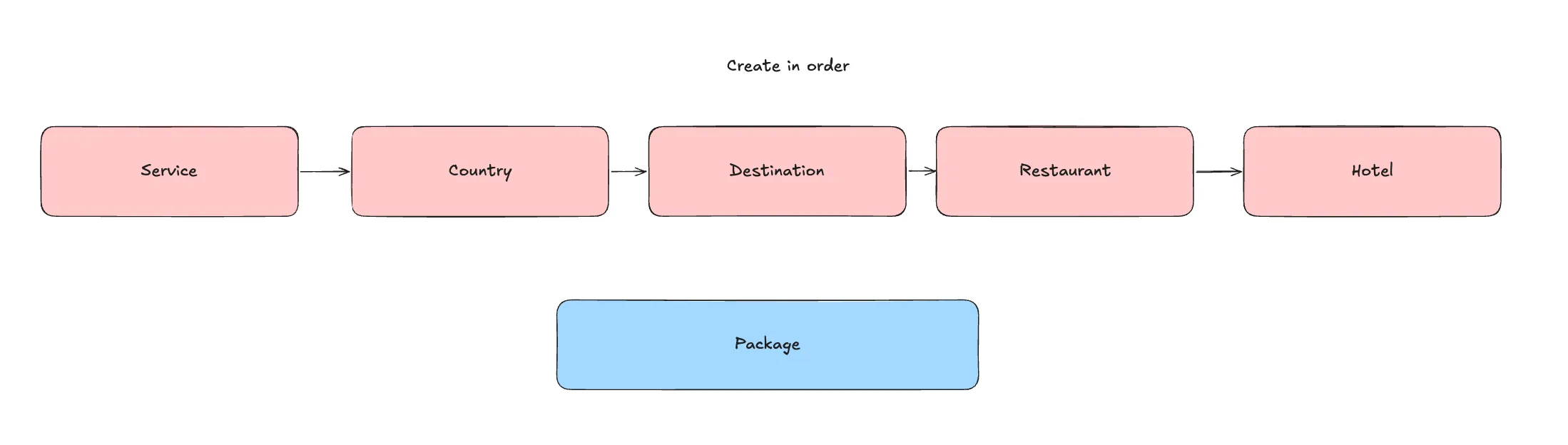
For tour packages, the usual order is:
- Add package basics.
- Add translated title, summary, overview, and SEO content.
- Add countries and destinations.
- Build the itinerary.
- Add gallery images.
- Add included and excluded services.
- Add package FAQs.
- Review the publish tab.
- Check the public page after publishing.
Draft, published, and archived content
Section titled “Draft, published, and archived content”Some content supports different statuses.
| Status | Meaning |
|---|---|
| Draft | Work in progress. Not ready for visitors. |
| Published | Live or ready to appear on the public website. |
| Archived | No longer active, but kept for record/history. |
Only publish content after checking required text, images, translations, and links.
Media library basics
Section titled “Media library basics”Images should be uploaded once to the media library, then reused across packages, countries, guides, authors, hotels, restaurants, and rich-text sections.
When adding images:
- Use clear filenames when possible.
- Add meaningful alt text. (It’s advised to follwo destination name + country name. e.g. Angkor Wat Cambodia)
- Replace an image from the media library when the same image reference should update everywhere.
- Choose an existing image by searching to avoid uploading duplicates.
Media can be upload in 2 places:
-
Media Page
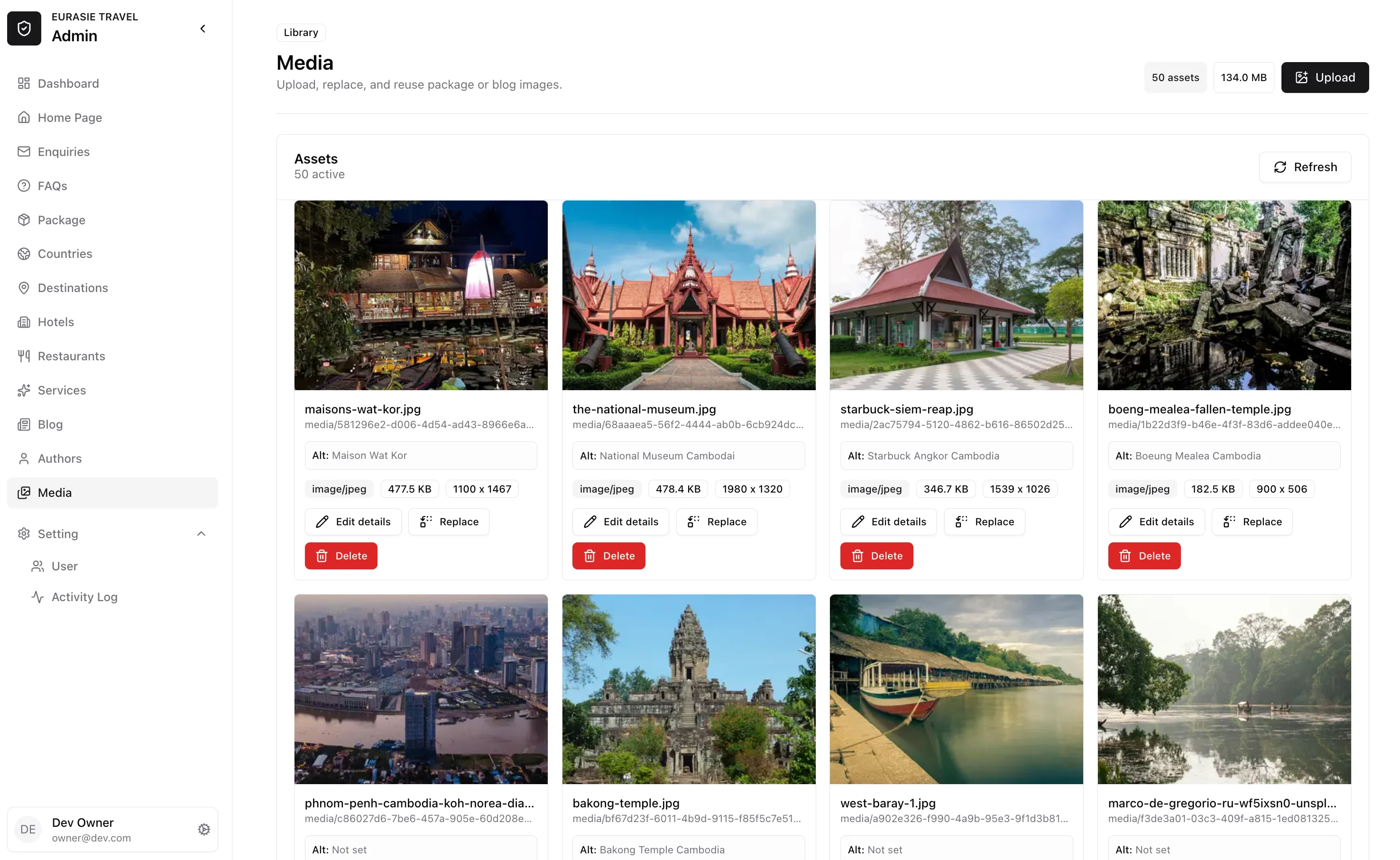
-
Media Modal
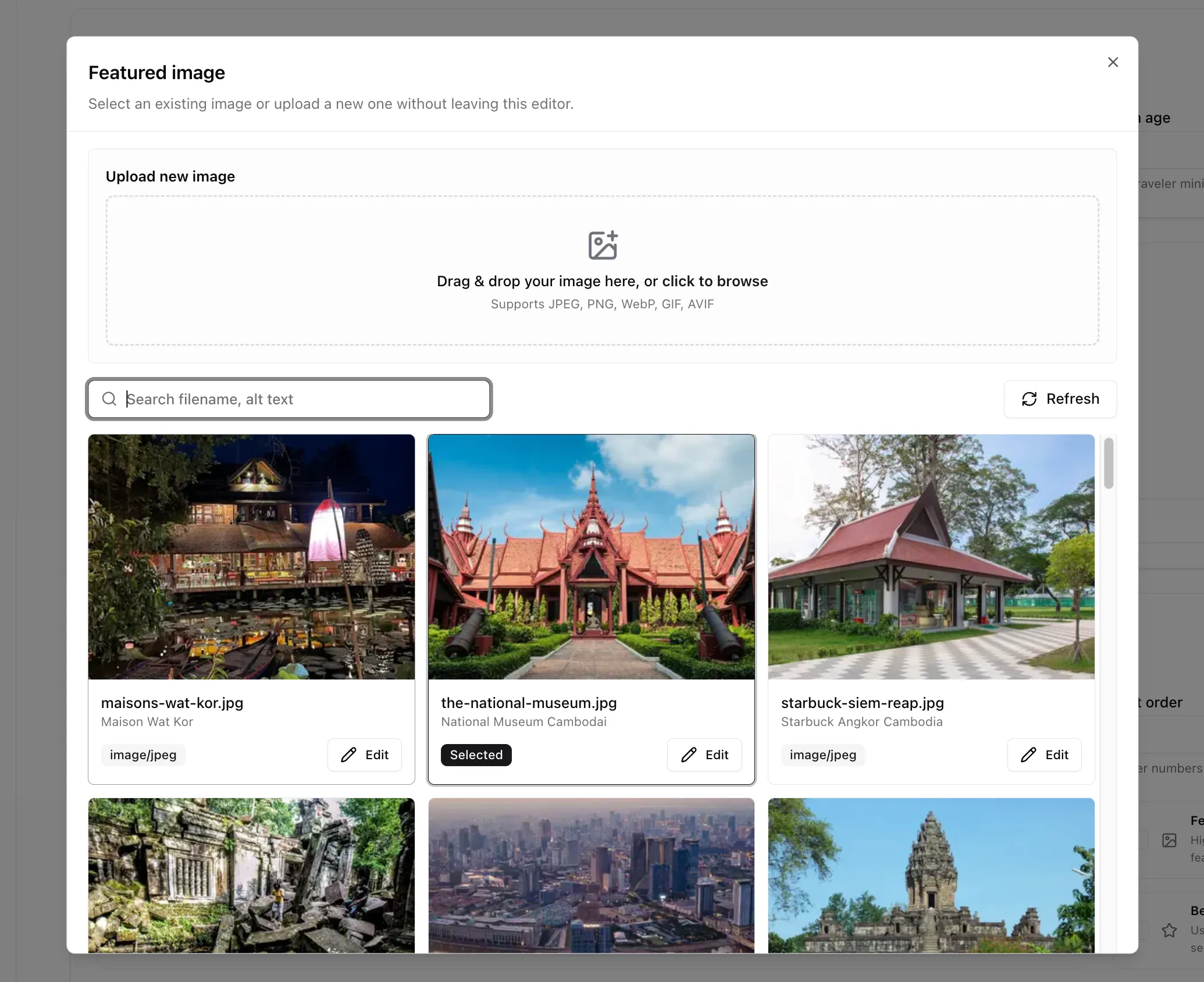
Publishing checklist
Section titled “Publishing checklist”Before publishing, confirm:
- Title and summary are complete.
- Slug looks correct.
- Featured image is selected.
- Image alt text is filled.
- Main content is not empty.
- Translations are complete enough for publication.
- SEO title and SEO description are filled when available.
- Links and buttons point to the right page.
- Public page has been reviewed after publishing.
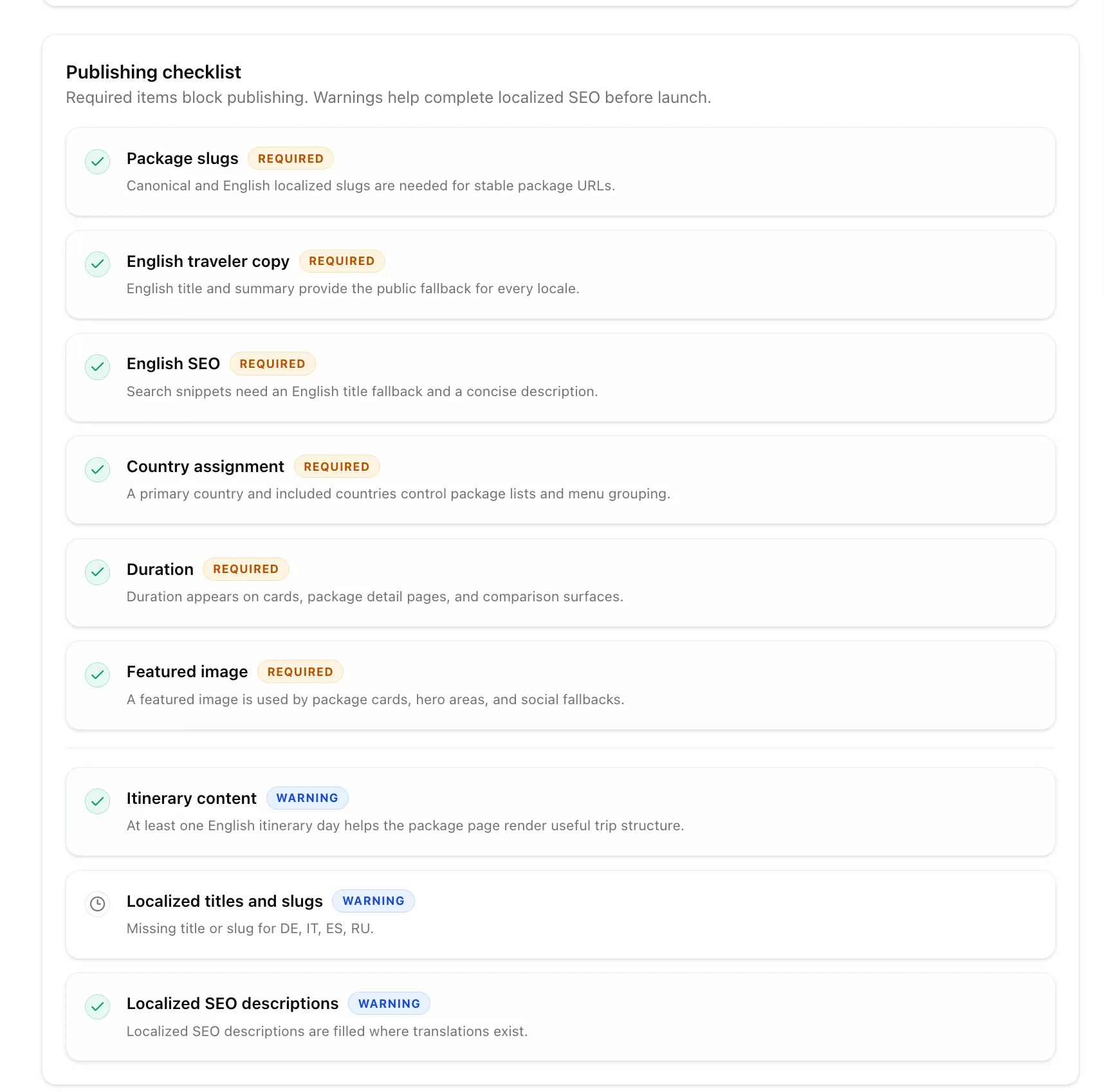
Before publishing package, we also have a checklist page, you can view as well
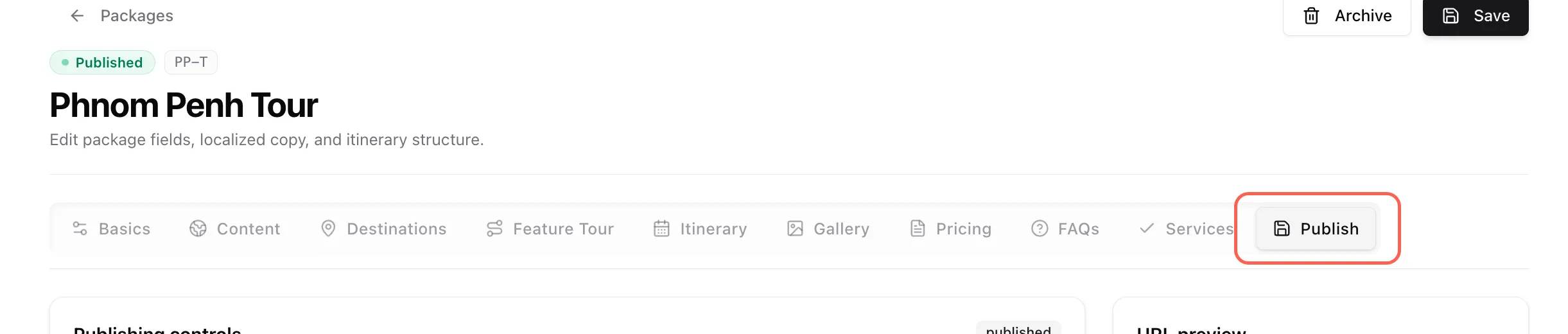
Permissions
Section titled “Permissions”Your account role controls what you can see and change.
| Role | Typical access |
|---|---|
| Owner | Full access, including user management and major admin settings. |
| Admin | Manage content, media, and publishing. |
| Editor | Create and edit content, usually without full admin settings. |
| Viewer | Read-only access. |
If a section is missing or an action is disabled, your account may not have permission for it.