
Media
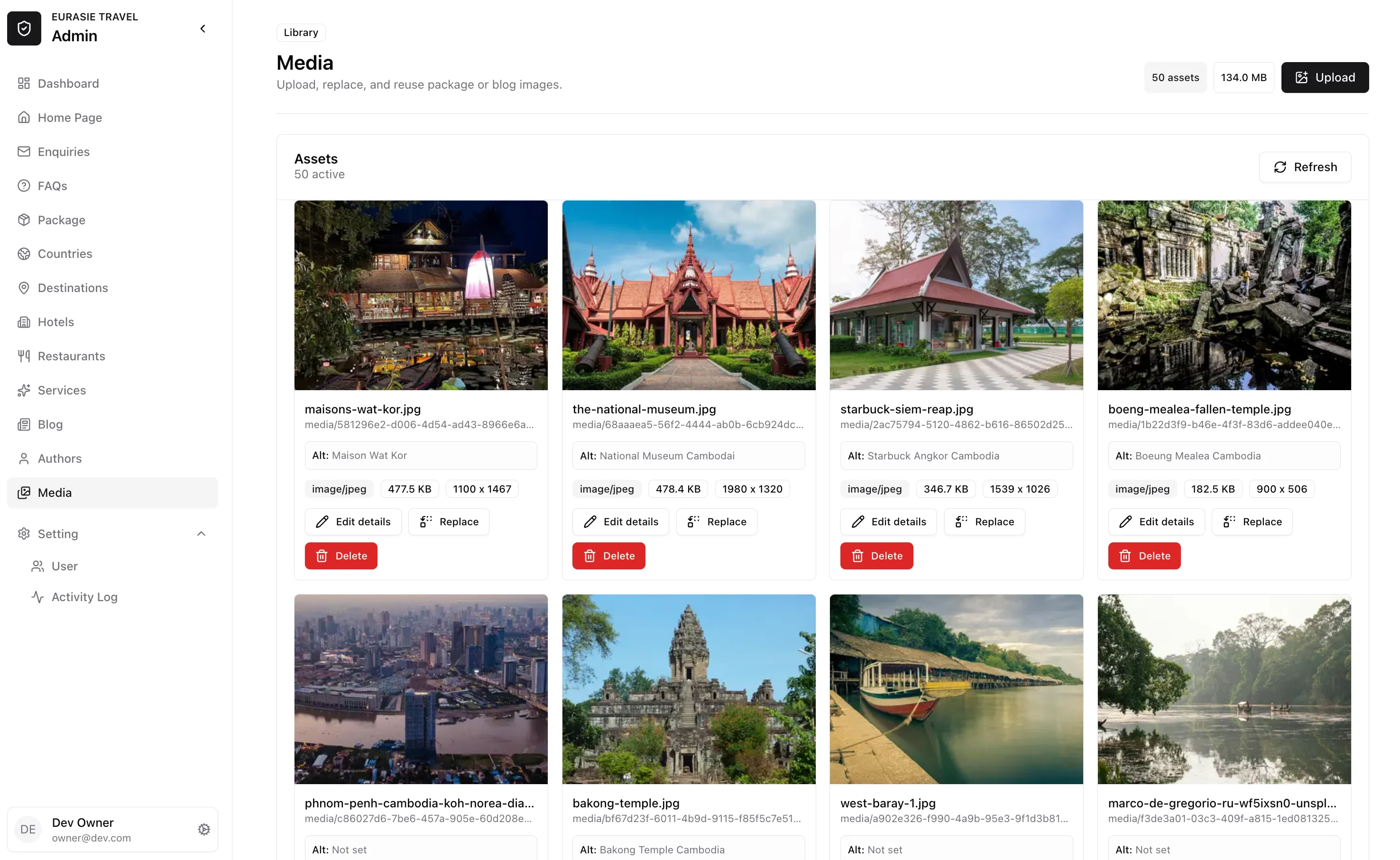
Use the media library to manage images used across the website.
Images can be used in tours, countries, destinations, hotels, restaurants, blog articles, authors, homepage sections, and rich-text content.
Where media is managed
Section titled “Where media is managed”There are two places you will work with images:
| Place | Use it for |
|---|---|
| Media page | Upload, review, edit, replace, or delete images from the full media library. |
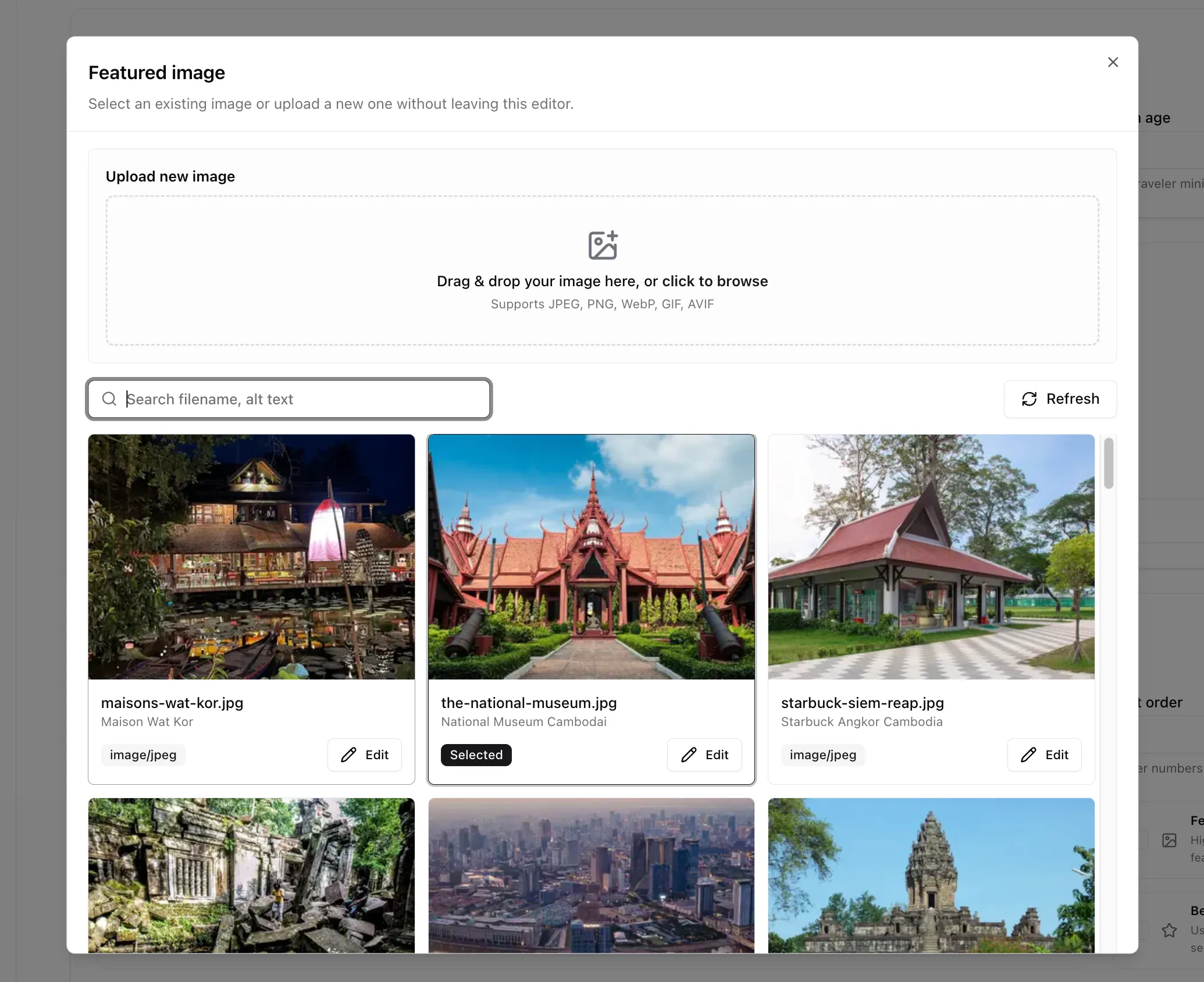
| Image picker inside editors | Choose an existing image or upload a new one while editing a package, country, guide, or other content. |
Use the Media page when doing library cleanup or replacing an image already used in several places.
Use the image picker when you are editing content and only need to choose an image for that field.
Alt text
Section titled “Alt text”Alt text is the default description used when the image is reused. It’s really important to set correct & full description alt text. As it will help with
- Website SEO
- Website Accessibility
- Allow you to easily find it via search & filter
To edit alt text:
- Open Media or the image picker.
- Find the image.
- Click Edit details or Edit.
- Update Alt text.
- Click Save details.
Good alt text is short and describes the image content.
Good examples:
Angkor Wat CambodiaIndependence Monument Phnom Penh CambodiaTraveler viewing Angkor Wat at sunriseBoat on Ha Long Bay surrounded by limestone cliffsFamily walking through a Cambodian market
Avoid:
imagephotobeautiful picture- keyword-stuffed SEO text
File guidelines
Section titled “File guidelines”Recommended:
- Use clear image files.
- Use landscape images for tour heroes and cards.
- Avoid tiny, blurry, or stretched images.
- Avoid screenshots for public travel content unless they are part of a tutorial.
- Prefer JPEG, PNG, or WebP for normal website images.
Common mistakes
Section titled “Common mistakes”| Mistake | Better action |
|---|---|
| Uploading the same image many times | Search first and reuse the existing image. |
| Deleting an image used by a tour | Remove it from the tour first, or replace it if the reference should stay. |
| Leaving alt text empty | Add a short description before publishing. |